Ask about any wedding and Ayyla answers from your own tasks, vendors and dates. It remembers your packages, terms and tone, adds tasks and leads once you confirm, researches the web and drafts contracts, questionnaires and the wedding-day timeline.
Draft the contract. Summarize the answers. Plan the day.
1
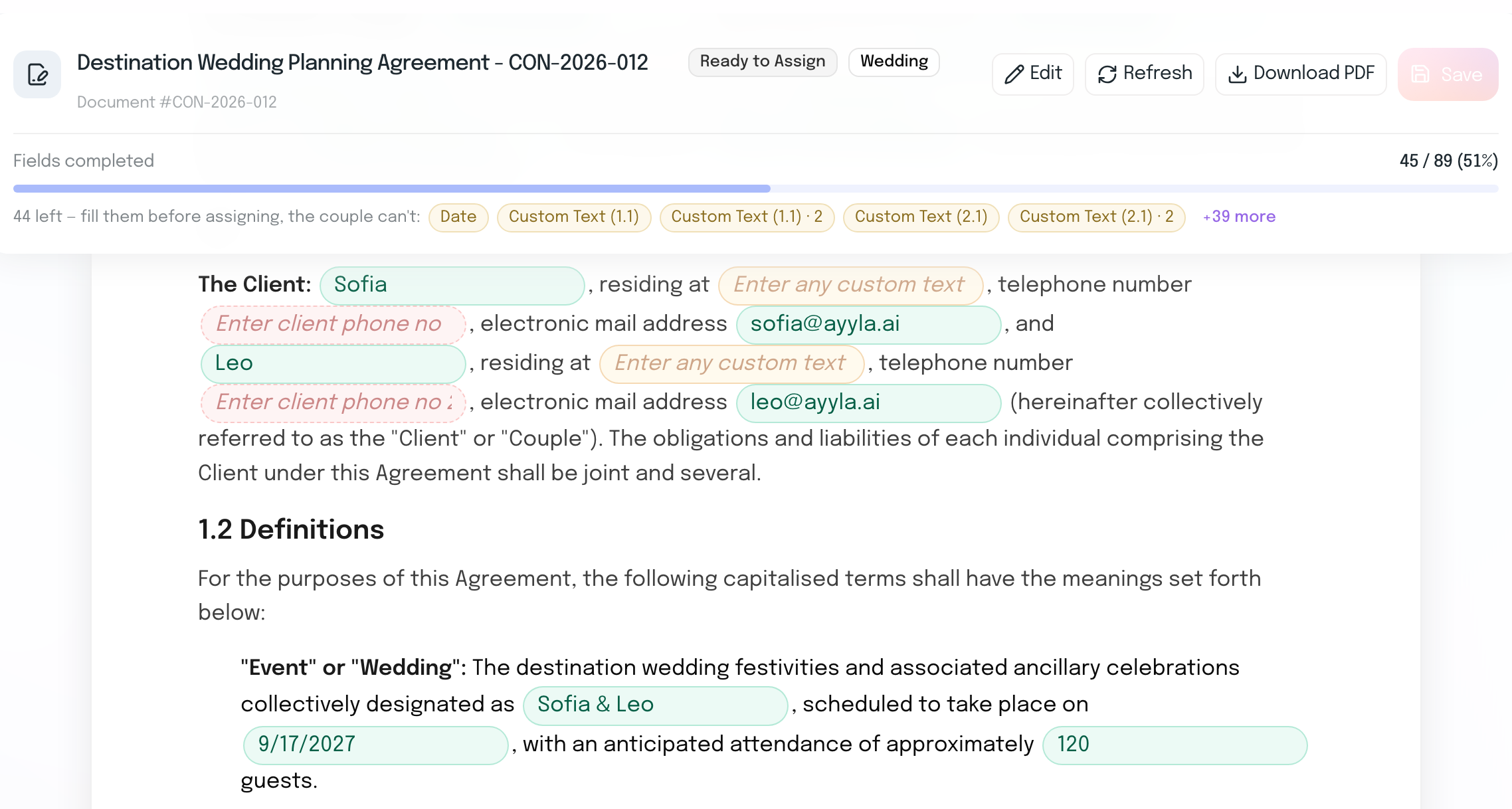
Draft a contract template once, then create it inside a wedding with the couple’s details already filled in.
2
Turn questionnaire answers into key insights.
3
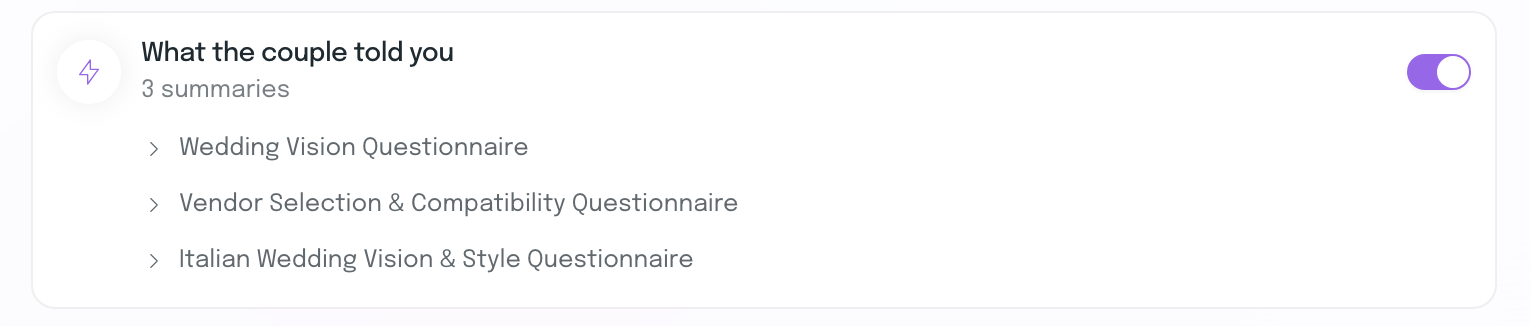
Let Ayyla use that context alongside booked vendors when you build the timeline.
Change or regenerate any draft before you use it.
Tell it how you work once. It remembers.
Save your packages, deposit terms, the tone for client emails and how you like answers in Assistant Memory: notes of your own, or agency conventions your whole team shares. Ayyla uses them in its answers and drafts, and “Used your preferences” under each answer shows exactly which ones it used, so you can edit any of them there. Pause memory whenever you like; your entries are kept.
Assistant MemoryWhat Ayyla remembers about how you like to work
Your memoryAgency conventions
Agency conventions6 of 50+ Add
Shared with everyone in your agency. A person’s own entries win over these.
Answer style
Client emails use a warm but formal tone, full sentences, no emojis.
Saved 14 Nov 2026 in settings
Instructions
Deposit is 30% on signing; the balance is due 60 days before the wedding.
Agency convention · Deposit is 30% on signing; the balance is due 60 days before the wedding.Edit
Ask it to add a task. It asks before it changes anything.
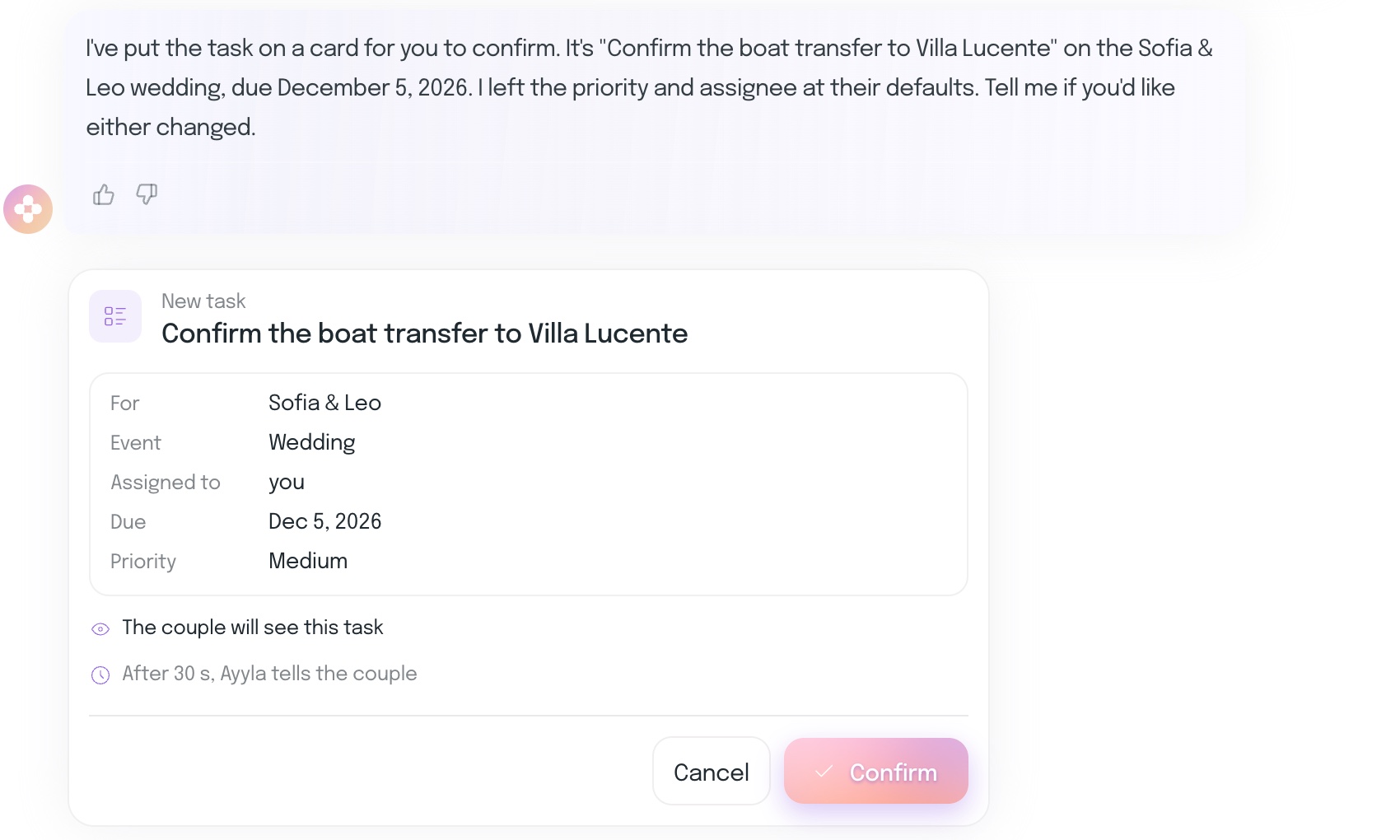
Ask Ayyla to add a task to a wedding or a new lead to your pipeline, and it shows it on a card first: the wedding, the event, who it’s assigned to, the due date and whether your couple will see it. Nothing is saved until you press Confirm, and you can cancel instead.
Research the web, with the sources.
Ask Ayyla to look something up, like what a US couple needs to legally marry in Italy. It searches the web, says where it found each answer, turns it into advice with timing, and flags where sources disagree so you know what to check. Web searches run in a chat of their own, apart from your agency’s data.
Search the web: what does a US couple need to legally marry in Italy, which documents, and how far ahead should they start?
Searched the web
Short version: the paperwork is front-loaded in the US, then finished in person in Italy before the wedding. Requirements vary by comune, so confirm with the town hall where they’re marrying.
Documents via web search: Italian Consulate Houston, US Embassy Italy
Certified long-form birth certificates, apostilled and translated into Italian
A Nulla Osta (certificate of no impediment), apostilled and translated into Italian
Timing
My suggestion: start gathering US documents 4 to 6 months out. Apostilles and certified copies are the slow part.
Watch out for
Sources disagree on who issues the Nulla Osta. Confirm the current process with the consulate and the specific comune before you give the couple a checklist.
One contract template. Each couple’s details filled in.
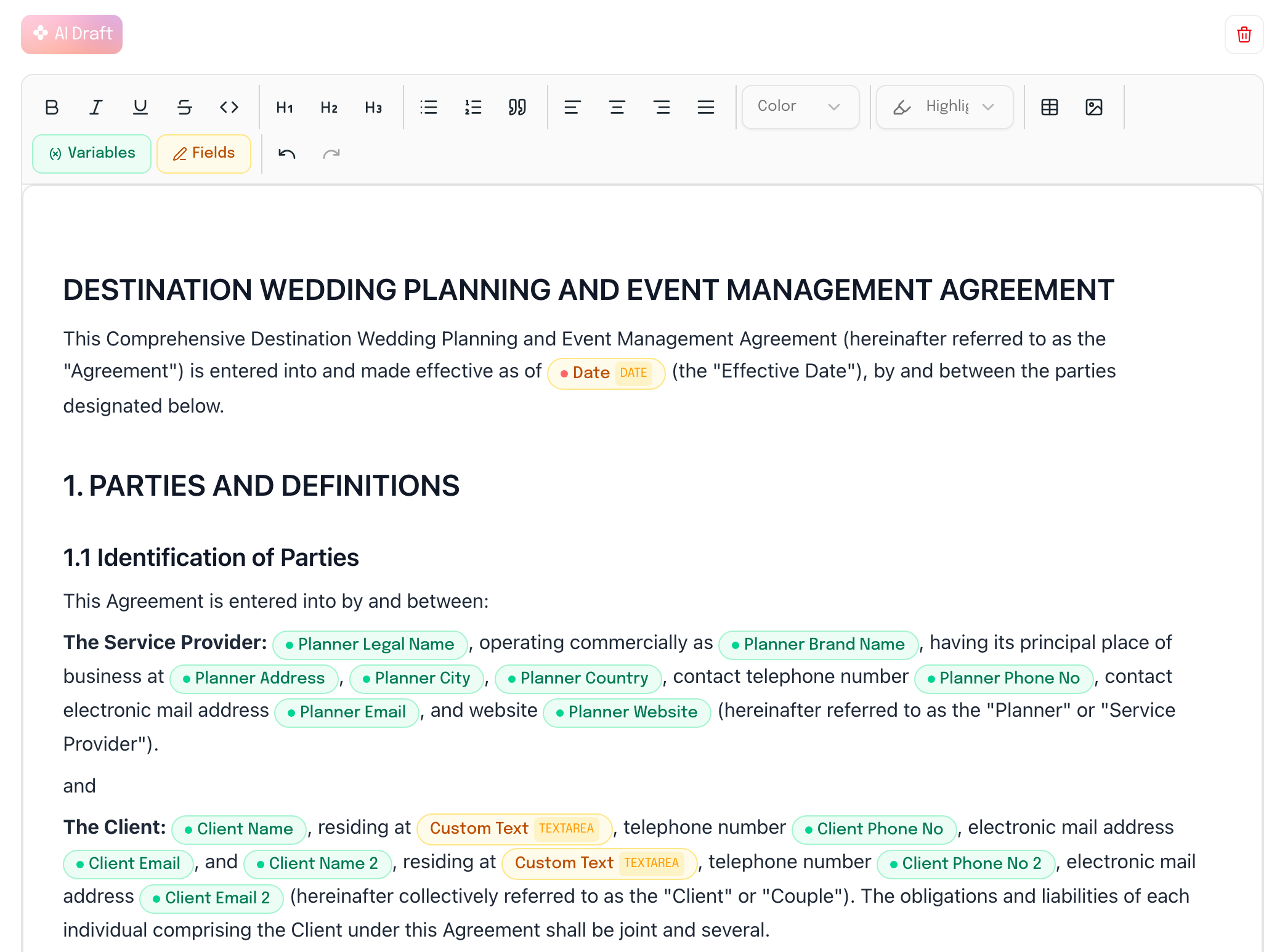
Choose the detail level, tone and what the contract should cover, and Ayyla drafts the template. Create it inside a wedding and fields like the couple’s names, date, location, guest count and planner fee fill from the project.
Drafted by Ayyla
In Sofia & Leo’s wedding
Your couple’s answers, turned into useful context.
Generate a questionnaire with AI from the topic and focus areas you choose, or build your own. Once the couple responds, Ayyla summarizes the answers and surfaces recommendations, concerns and action items by priority and topic.
Vendor Selection & Compatibility Sofia & Leo
AI SummaryAI GeneratedRegenerate
The couple is planning an elevated, classic, and timeless celebration with a healthy professional vendor budget exceeding $100,000. Their highest priorities are exceptional photography and videography, farm-to-table culinary experiences featuring locally sourced products, and cohesive floral and event design.
Key Insights
Action ItemCRITICALVENDOR
Check availability and secure a proposal from Moretti Studio immediately, as top-tier documentary photographers book up quickly.
RecommendationHIGHTIMELINE
Structure the preliminary day-of timeline around the sunset schedule to guarantee dedicated, unhurried time for lakeside golden-hour portraits.
ConcernMEDIUMLOGISTICS
Ensure the selected venue has suitable lake access, clear sightlines for golden-hour light, and weather contingency plans that still offer beautiful indoor portrait lighting.
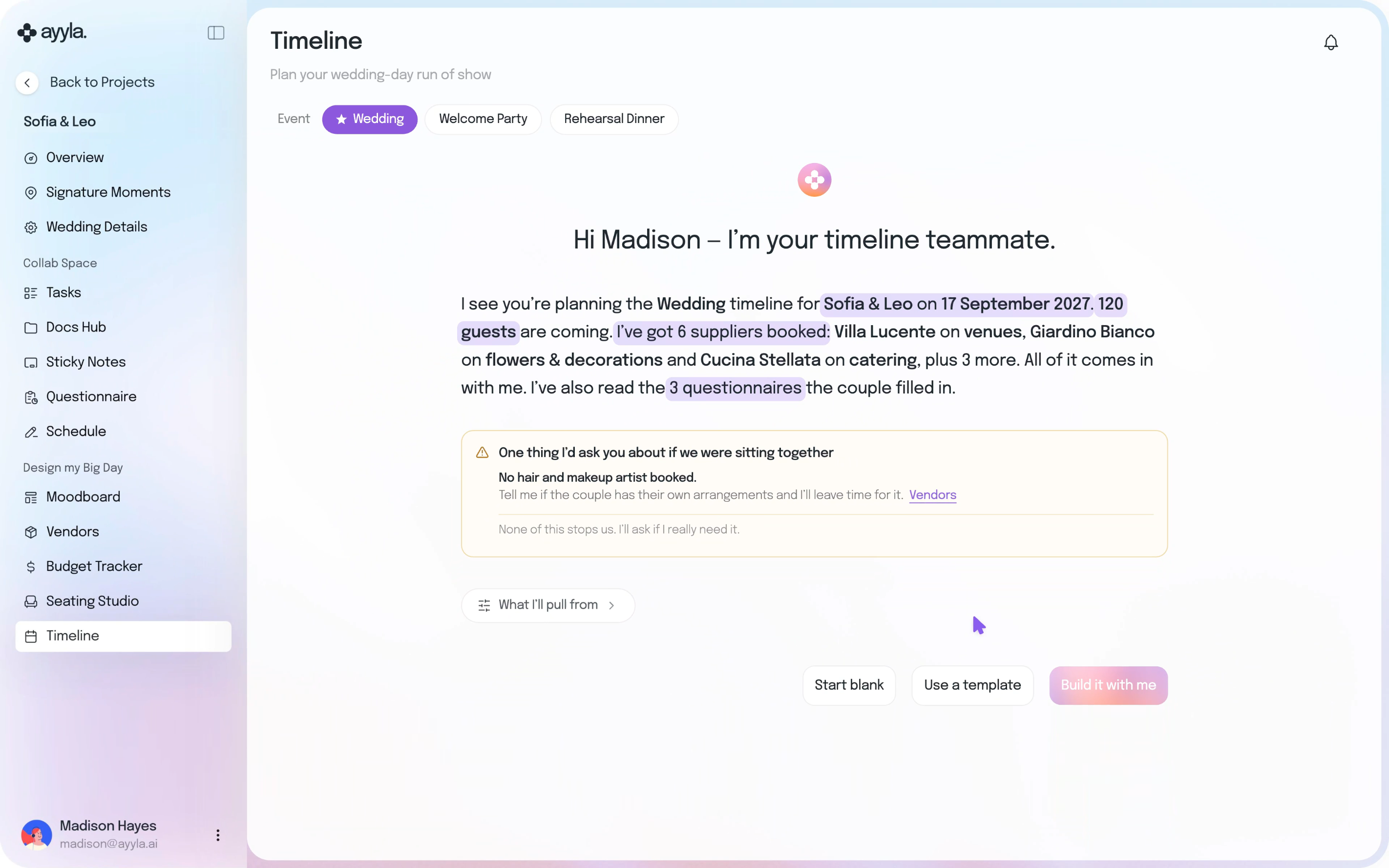
See exactly what Ayyla works from.
Before it drafts a timeline, Ayyla shows what it will use: the event, your couple, the guest count, booked vendors and your couple’s questionnaire summaries. Switch off any of them except the event itself.
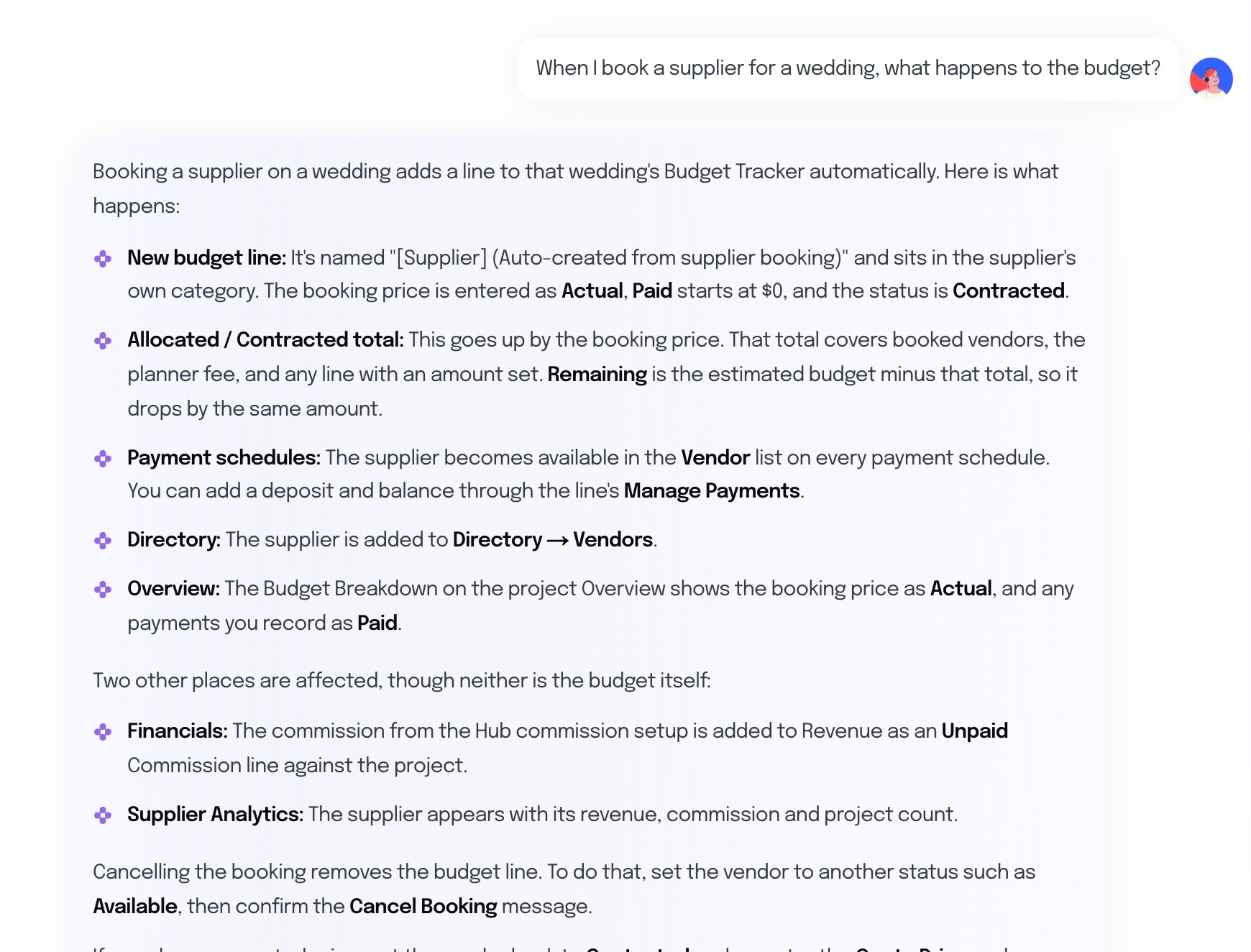
Ask the AI Assistant how to do anything.
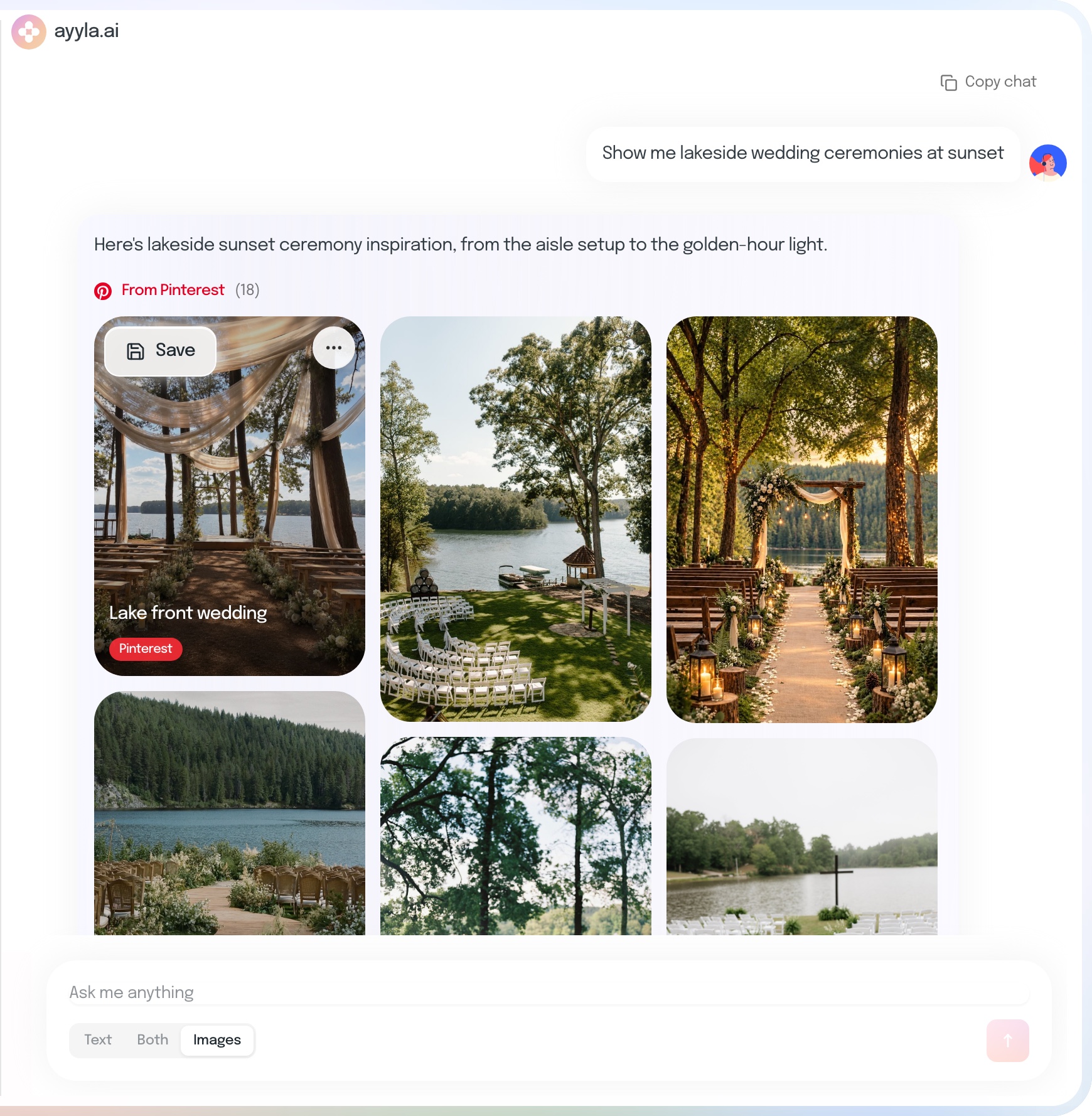
Get clear answers about how Ayyla works, like what happens to the budget when you book a vendor or how to invite a couple to their workspace, and search Pinterest for inspiration you can save straight to your boards.
Ask how
Find inspiration
It works from what’s already there.
Your packages, terms and toneEvery draft
Saved once in Assistant Memory, used in every answer and draft.
What planners usually want to know before Ayyla drafts anything for them.
What can Ayyla AI do for wedding planners?
Ask it about your weddings, leads and tasks; have it create a task or a lead once you confirm; research venues and vendors on the web; draft contract templates and questionnaires; summarize questionnaire answers; and help build the wedding-day timeline from what’s already in the wedding.
Does Ayyla AI remember how I work?
Yes. In Assistant Memory you keep up to 50 notes of your own, such as how you like answers and your shorthand, and up to 50 agency conventions your whole team shares, such as your packages, deposit terms and the tone for client emails. Your own notes win over the agency’s. Ayyla uses them in every chat and lists the ones it used under each answer. You can edit or delete any entry, or pause memory; your entries are kept.
Can Ayyla change things without asking me?
No. A task or a lead Ayyla creates goes on a card first, and nothing is saved until you press Confirm. The card also says who will see it, such as your couple or your team.
What can Ayyla see?
Only what you can already see in Ayyla. It looks things up as you, so a team member’s Ayyla sees that team member’s weddings, not more.
Am I still in control of what Ayyla creates?
Yes. You can edit or regenerate document drafts, decide whether questionnaire summaries are used as timeline context, and accept, edit or dismiss timeline suggestions. Nothing replaces the planner’s final decision.
How accurate is it?
Ayyla’s summaries and timeline suggestions work from what’s already in the wedding, so they are only as current as the details you’ve entered. Contract drafts start from the brief you give it. Like any AI it can get things wrong, so read every draft before you use it and have contracts checked against your own terms and local law.
Which AI models does Ayyla use, and do they keep my data?
Ayyla uses a multi-model approach, choosing the right model for each task instead of relying on a single one. The AI providers it works with don’t keep your data, and Ayyla never sells your data or shares it with advertisers.
Is Ayyla AI included in my plan?
Yes. Ayyla AI is included in every plan, and there are currently no usage limits.
You shouldn’t work for your software. It should work for you.
 You review, edit and decide what gets used.