Every inquiry in one pipeline.
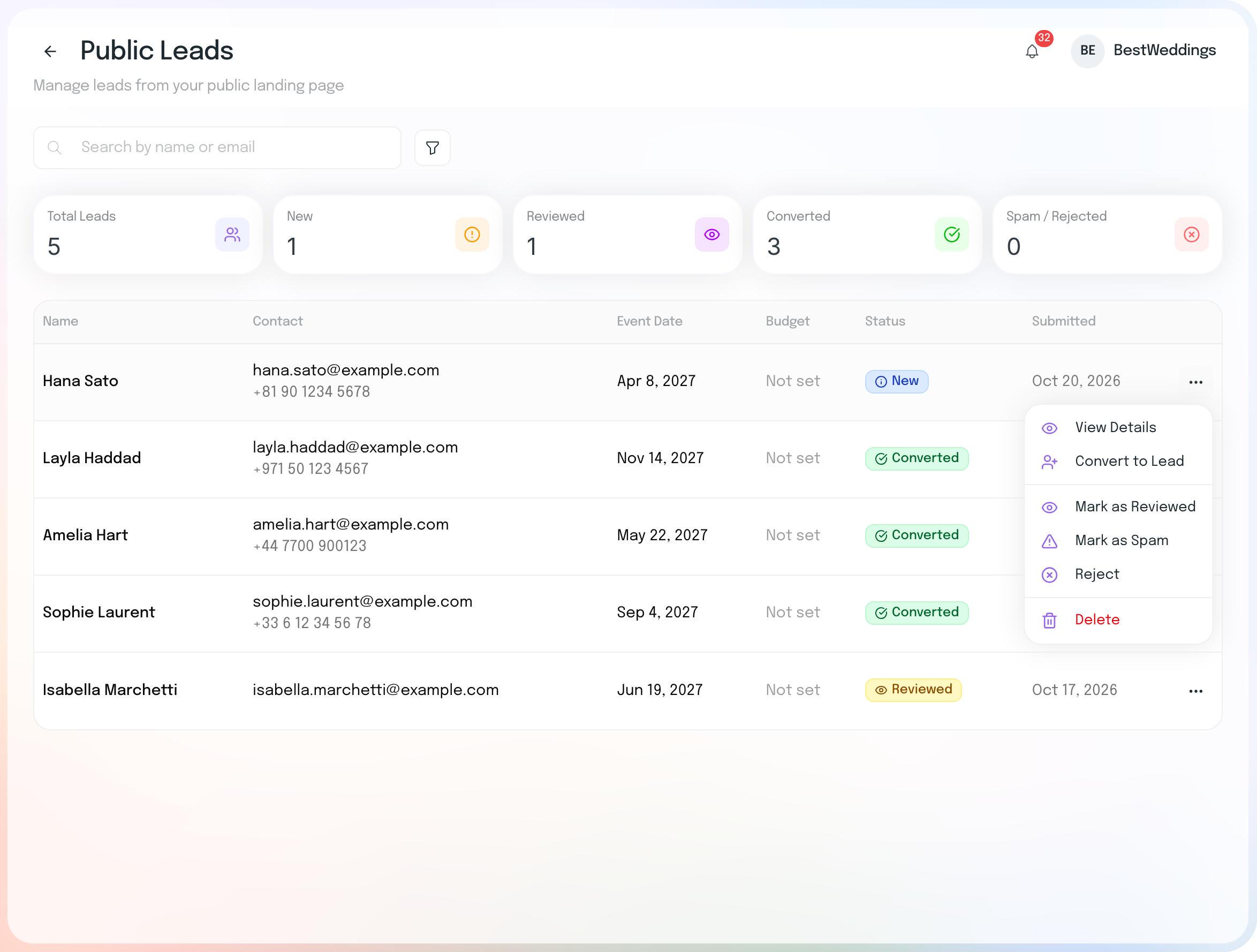
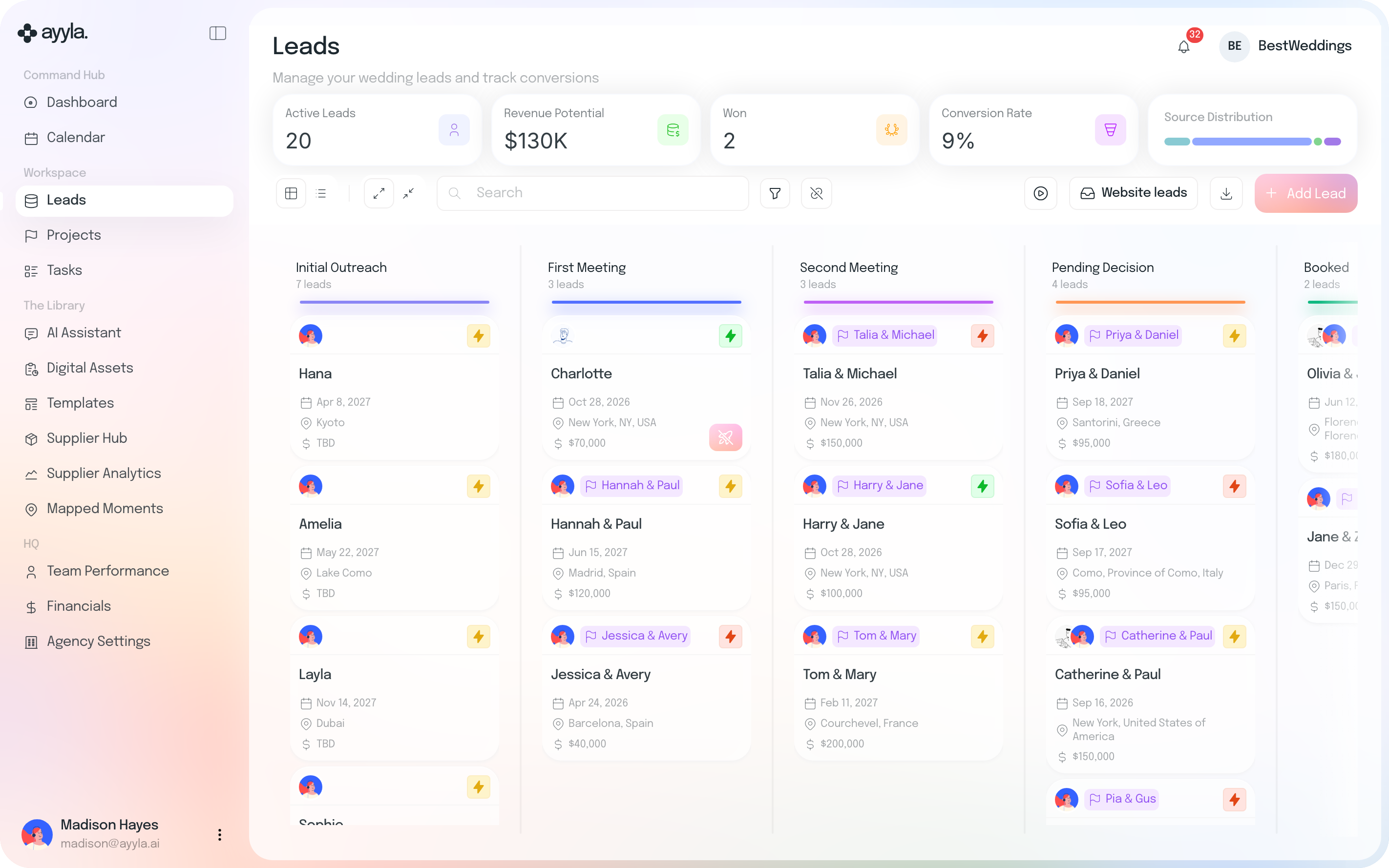
Leads move from first outreach to booked, with the date, location, budget and owner on every card. Inquiries from your public landing page arrive ready to add to the pipeline in one click.
Leads, Projects & Tasks
Every inquiry lands in one pipeline. When a couple books, turn the lead into a live wedding with their details carried over.
 Then manage the work across every wedding from one place.
14-day free trial · No credit card required
From inquiry to wedding
Inquiries from your website arrive ready to add to your pipeline.
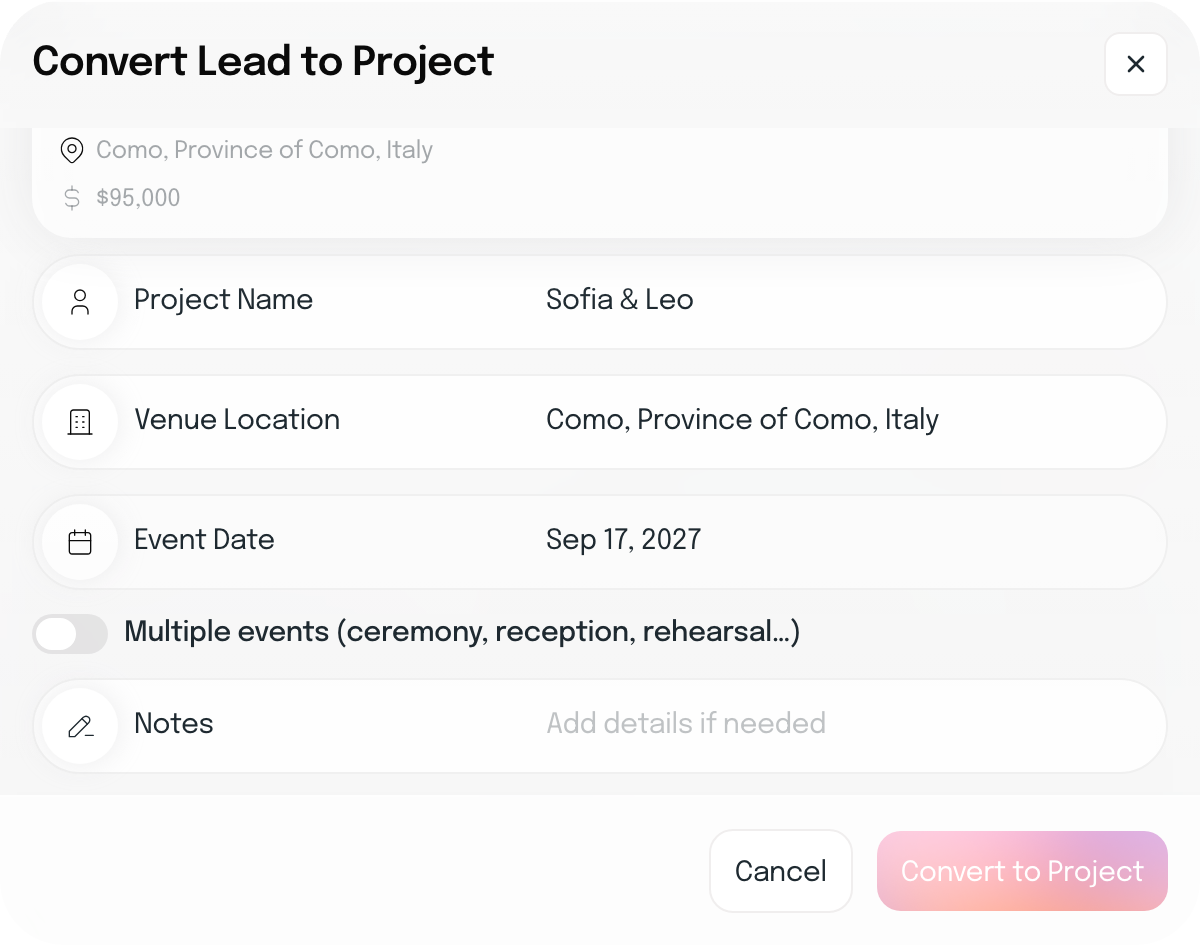
Convert any lead from its rocket, at any stage, without re-entering their details.
Give your couple their workspace whenever you’re ready.
From there, project tasks roll into one task list so your team can see what needs doing across every wedding.
Nothing is retyped when a lead becomes a wedding.
Leads move from first outreach to booked, with the date, location, budget and owner on every card. Inquiries from your public landing page arrive ready to add to the pipeline in one click.
Use the rocket on any lead to convert it into a project at any stage, and its name, venue and date carry over. Add your team, events and planner fee, then invite your couple to their own workspace from Wedding Details whenever you’re ready.
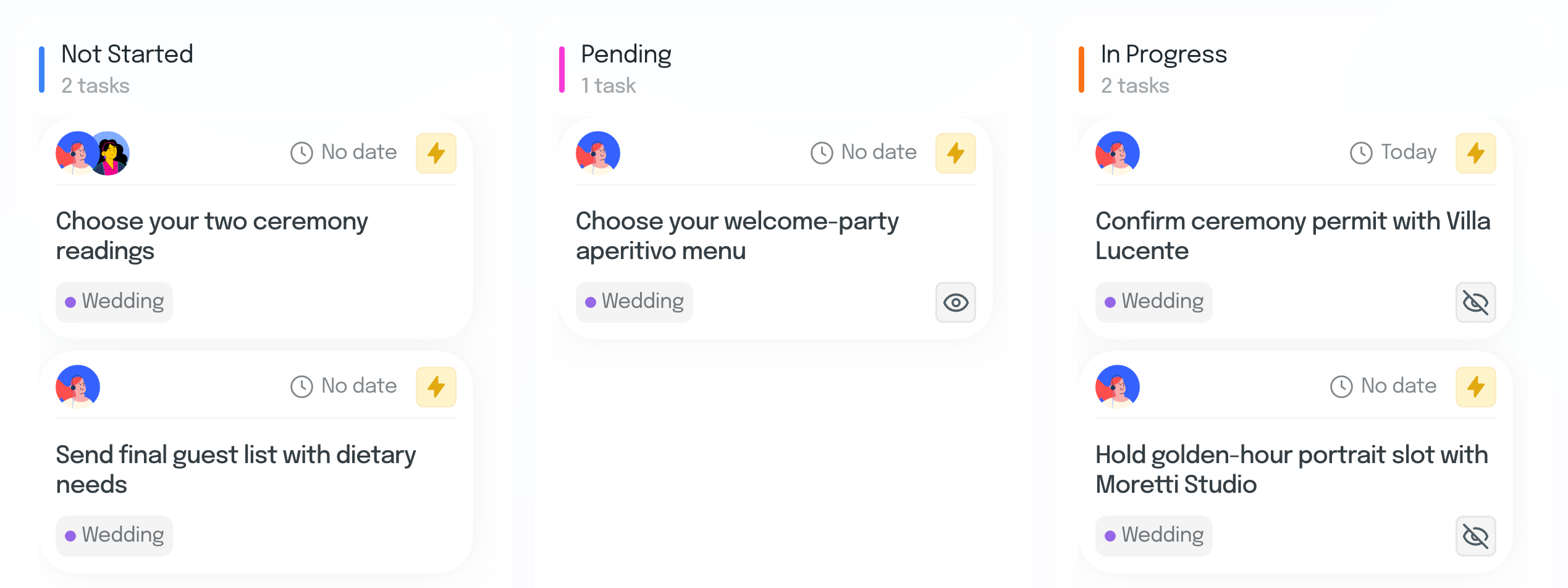
Inside each wedding, tasks sit on a board by status, each one tagged to its event: the Welcome Party, the Rehearsal Dinner or the Wedding. They also join your agency’s list with every other task, by priority, deadline and owner. Your couple sees their wedding’s tasks, and you can hide any task from them and unhide it when you’re ready.
Hide a task from your couple, and unhide it anytime.
Once the wedding is live, invite your couple to their own Couple Workspace from Wedding Details.
The installments you set on the project flow into Financials with their due dates.
Tasks created inside a wedding also appear in your business-wide task list.
Stop retyping the wedding every time it moves forward.
Everything planners usually want to know before moving their pipeline into Ayyla.
Yes. Inquiries from the form on your Ayyla landing page arrive in Website leads. Review each one and add the real ones to your pipeline in one click.
Use the rocket on any lead, at any stage. Ayyla creates the wedding with the lead’s name, venue and date, so nothing has to be retyped. Your couple isn’t invited automatically: when you’re ready, invite them to their Couple Workspace from the wedding’s Wedding Details.
Yes. Switch between the board and a table, filter by priority, date, country, budget, source or owner, and export to CSV, Excel or PDF.
Every task belongs to a wedding, a lead or your agency. Tasks added inside a wedding also appear in your agency’s task list, and you can hide any wedding task from your couple and unhide it whenever you choose.
On Studio and Agency plans, Team Performance shows each team member’s leads, projects and tasks, helping you see workload across the business.
Run the business side of every wedding from the same place you plan it.
14-day free trial · No credit card required