Budget Tracker

The wedding budget that updates as you plan.

Booked vendors arrive as contracted lines, and your planner fee installments come in from the project. Split each cost into payments and choose who pays each one.

See what’s estimated, contracted and paid for every event.

14-day free trial · No credit card required

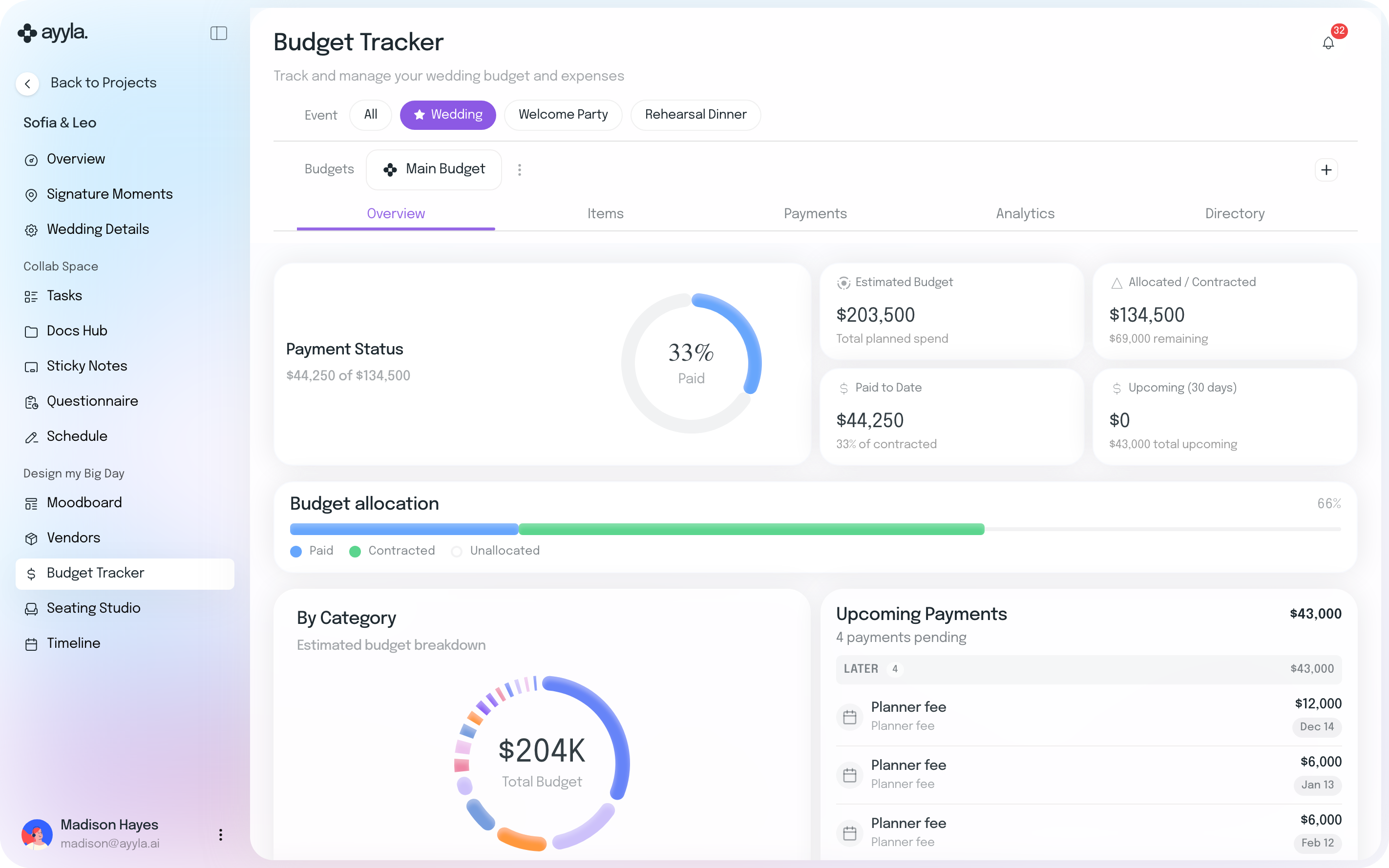
Sofia and Leo’s Budget Tracker in Ayyla, Wedding event, Overview: $44,250 of $134,500 paid, 33%; an estimated budget of $203,500; $134,500 allocated or contracted with $69,000 remaining; $44,250 paid to date; $0 due in the next 30 days and $43,000 upcoming in all; the budget allocation bar; the budget by category; and four upcoming payments, including the planner fee installments of $12,000 due December 14 and $6,000 due January 13 and February 12
  • Estimates by category
  • Booked vendors
  • Payment schedules
  • Payees
  • Planner fee installments
  • A budget per event

Already in the budget

From booking to paid, without entering anything twice.

  1. 1

    Book a vendor and its line is already in the budget.

  2. 2

    Split it into payments and choose who pays each one.

  3. 3

    Your fee’s installments come in from the project, and marking one paid in Financials updates the budget too.

Your fee is marked paid in Financials. Vendor payments are marked paid in the budget.

Estimated, contracted and paid, line by line.

Set an estimate for each category, and bookings and payments fill in what’s contracted and paid beside it. See which categories are over and what’s due next.
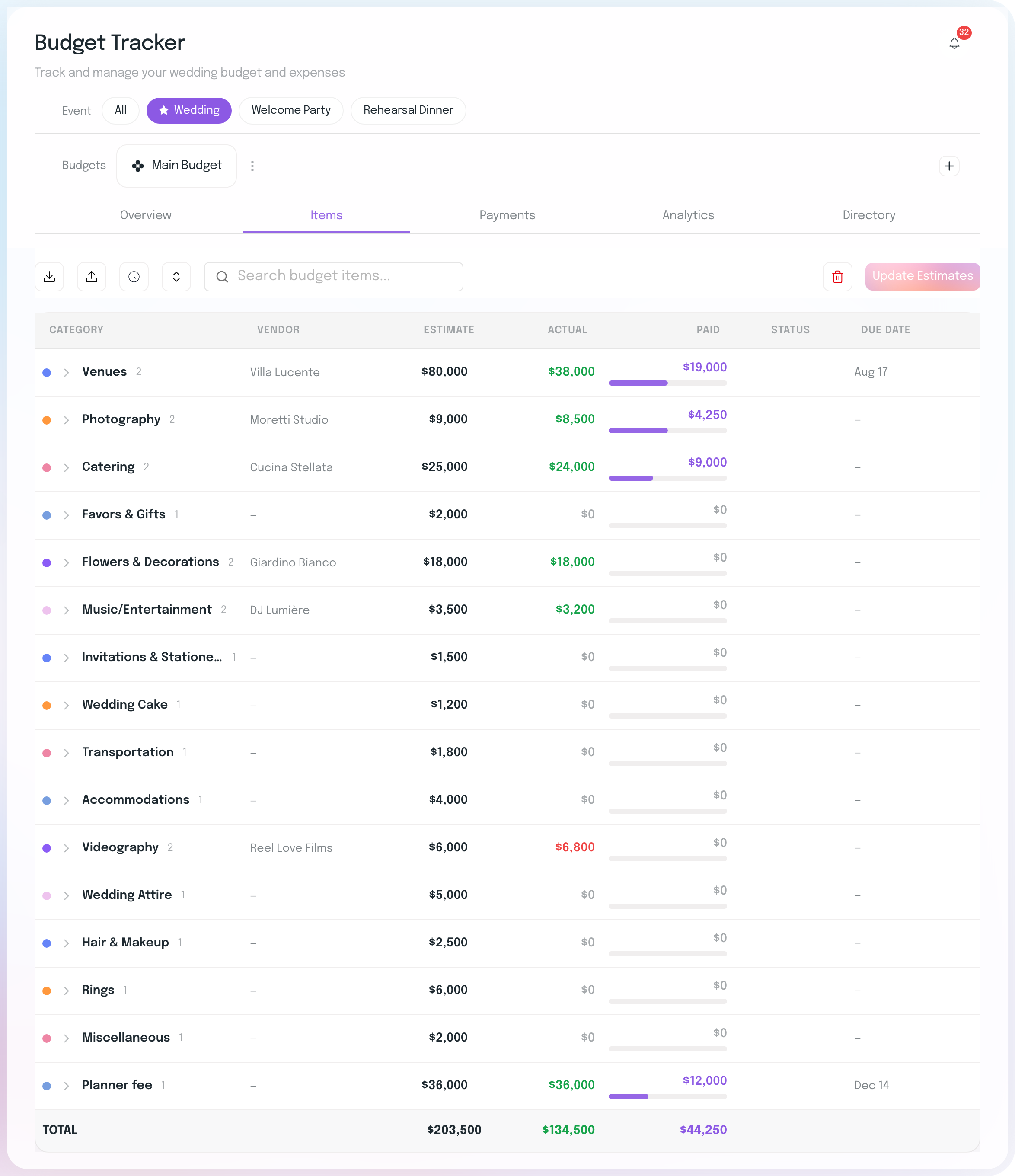
Sofia and Leo’s budget Items for the Wedding, sixteen categories with their vendor, estimate, actual, paid and due date: Venues with Villa Lucente, $80,000 estimated, $38,000 actual, $19,000 paid, next due August 17; Photography with Moretti Studio, $4,250 paid; Catering with Cucina Stellata, $9,000 paid; Videography with Reel Love Films over its estimate at $6,800; the Planner fee, $36,000, $12,000 paid, next due December 14; and the total row, $203,500 estimated, $134,500 actual and $44,250 paid

Split every cost into payments, and choose who pays each one.

Split a contracted amount 50-50, into three or four equal payments, or your own number, each with a due date. Choose a payee for each payment, from your couple to their parents, and see what each of them has paid.

Choose who pays each payment
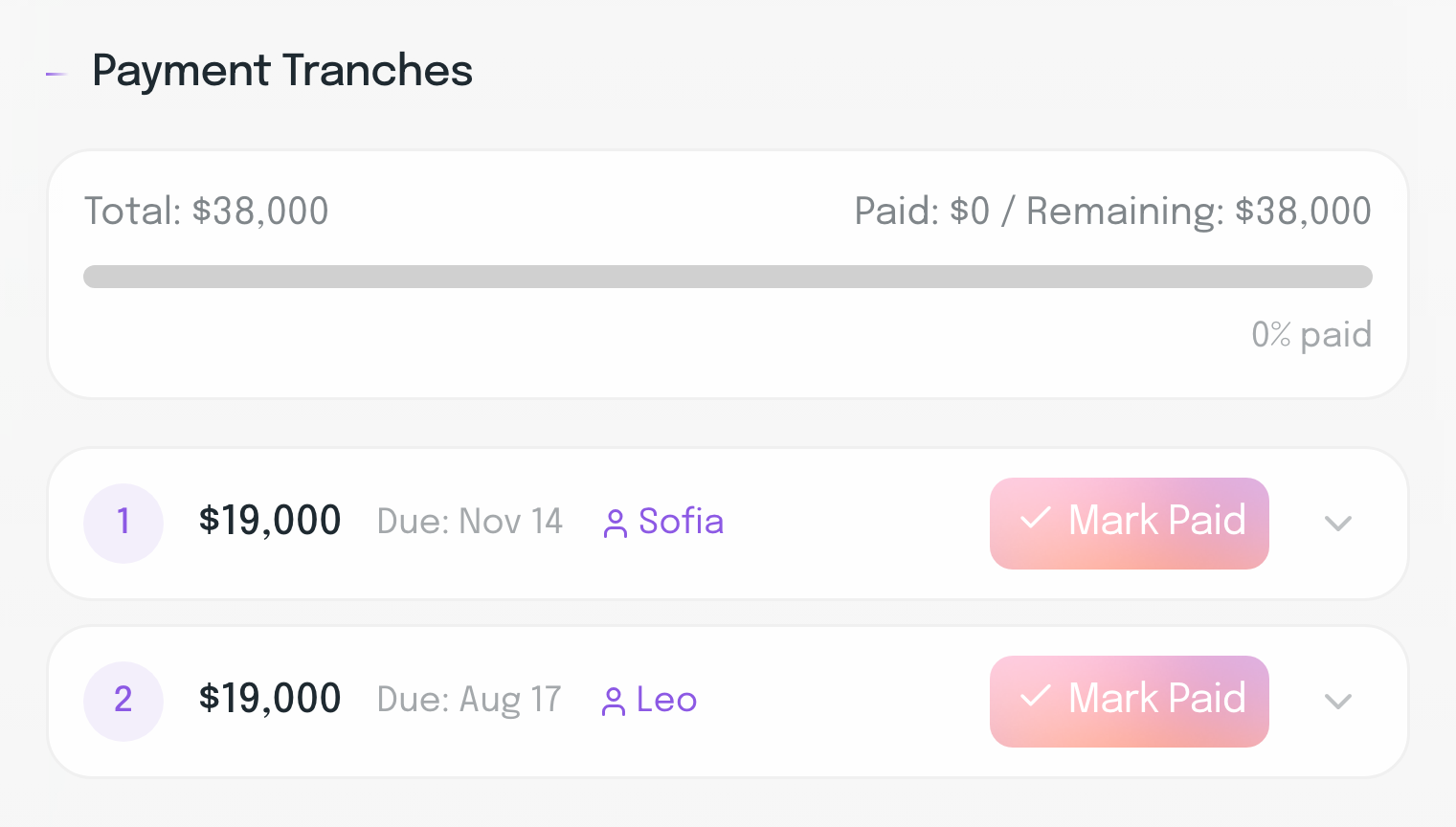
Villa Lucente’s payment tranches in Sofia and Leo’s budget: a $38,000 total in two payments of $19,000, the first due November 14 with Sofia as payee, the second due August 17 with Leo as payee, each with a Mark Paid button
After the deposit is paid, see what each of them has paid
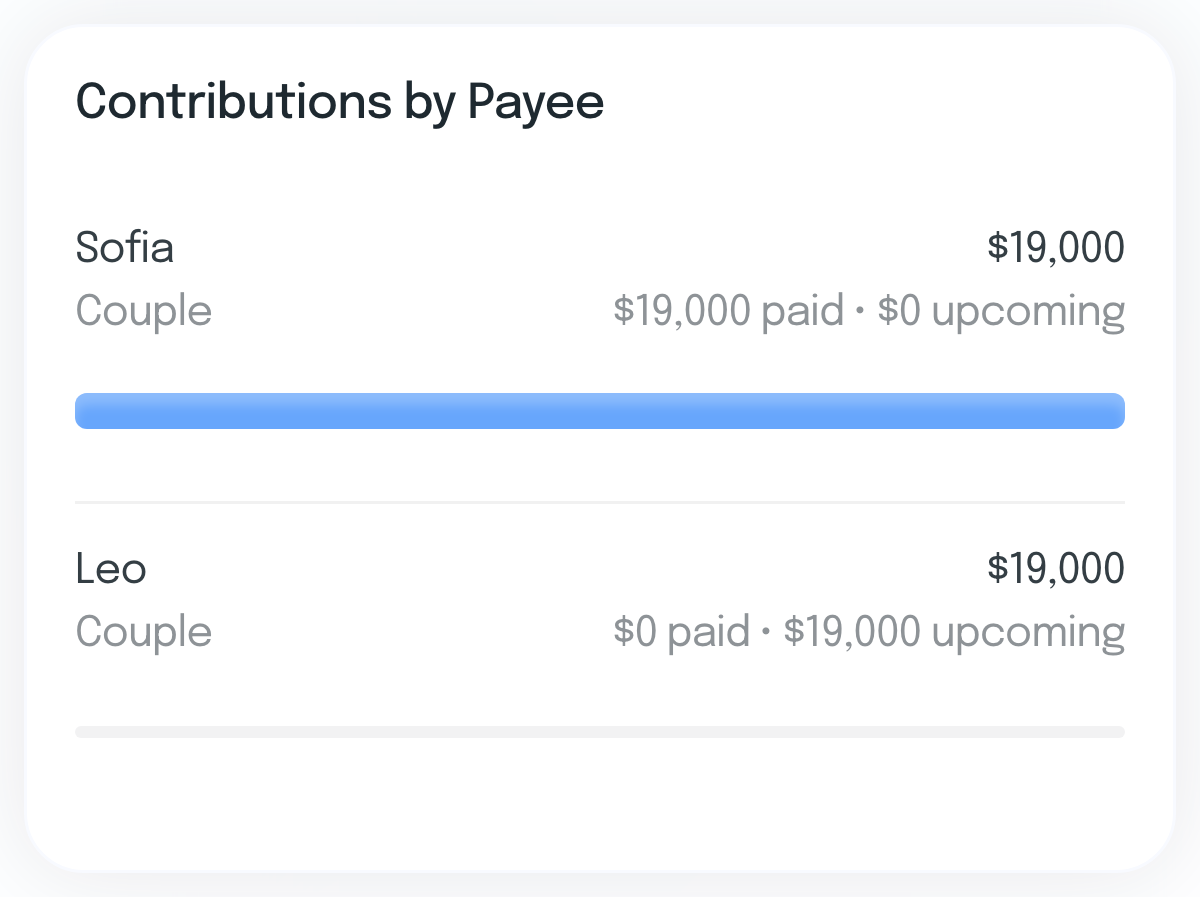
Contributions by Payee in Sofia and Leo’s budget: Sofia, Couple, $19,000, with $19,000 paid and $0 upcoming; Leo, Couple, $19,000, with $0 paid and $19,000 upcoming

Your fee installments, already in the budget.

Set your fee and its installments once in the project’s Wedding Details. They appear in the budget as a Planner fee line, and you mark them paid in Financials.

Set once in Wedding Details
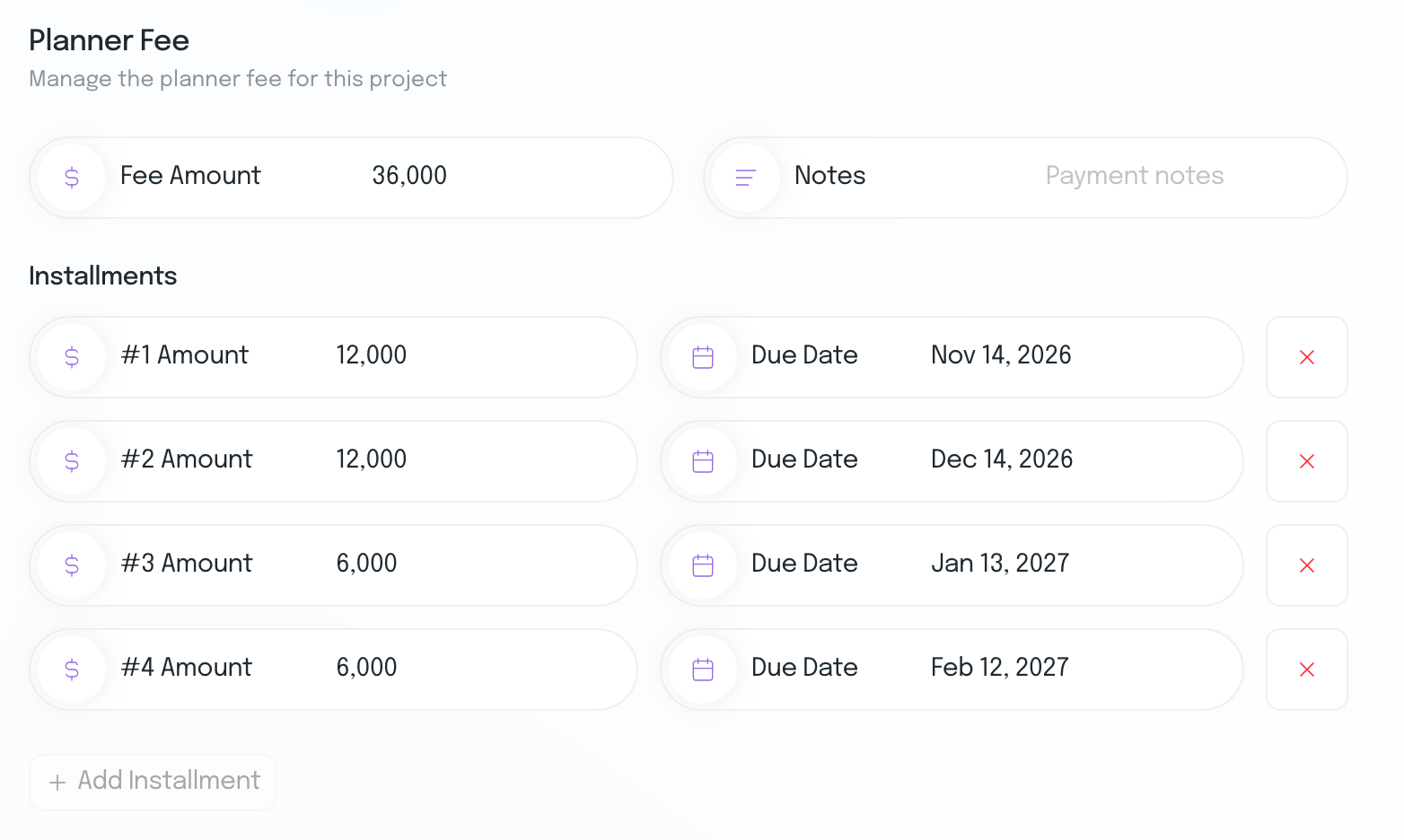
The Planner Fee section of Sofia and Leo’s Wedding Details: a fee amount of 36,000 in four installments, 12,000 due November 14, 2026, 12,000 due December 14, 2026, 6,000 due January 13, 2027 and 6,000 due February 12, 2027
In the budget
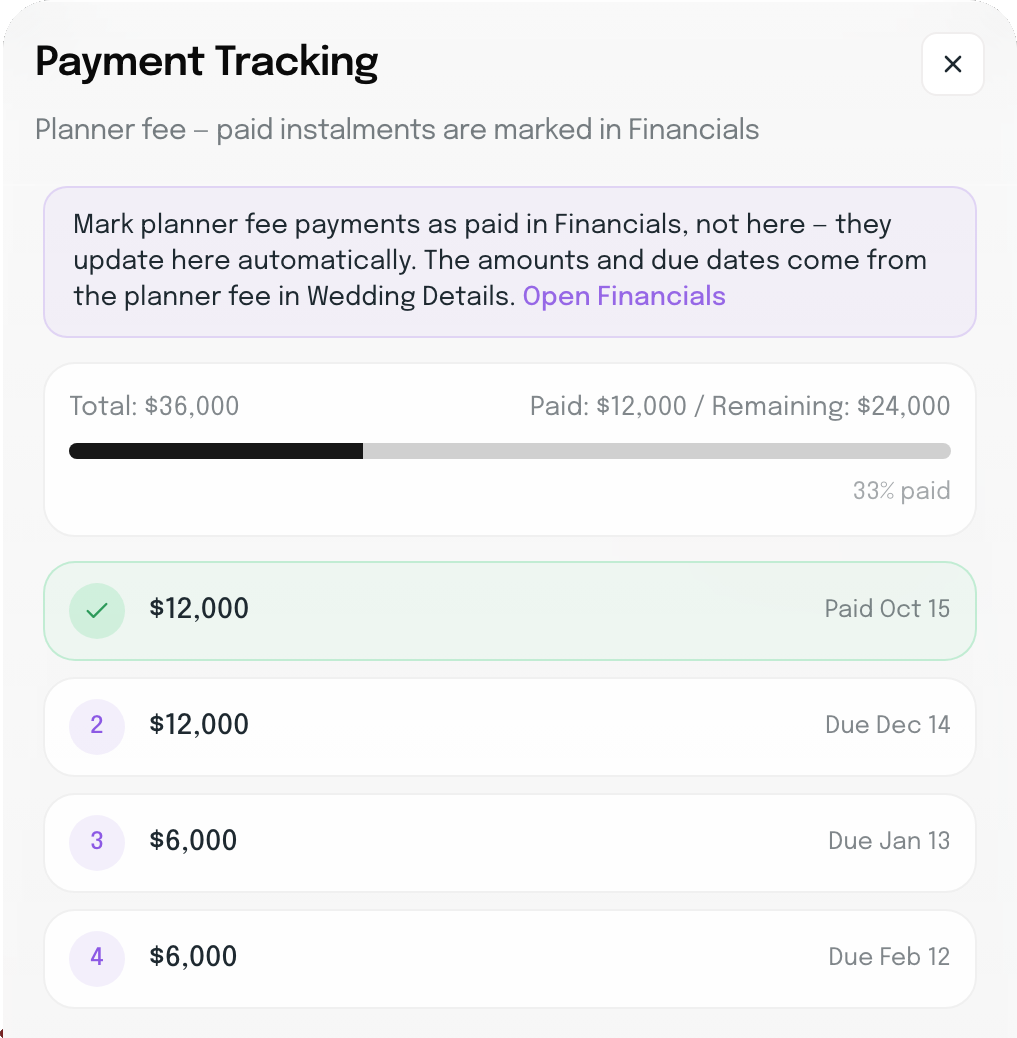
The Planner fee’s Payment Tracking panel in Sofia and Leo’s budget: Mark planner fee payments as paid in Financials, not here, they update here automatically, with a link to Open Financials. A $36,000 total, $12,000 paid and $24,000 remaining, 33% paid: installment 1 of $12,000 paid October 15, then $12,000 due December 14, $6,000 due January 13 and $6,000 due February 12

Every event gets its own budget.

The welcome party, rehearsal dinner and wedding each keep their own budget. Switch to All to see them side by side, by event and by category.

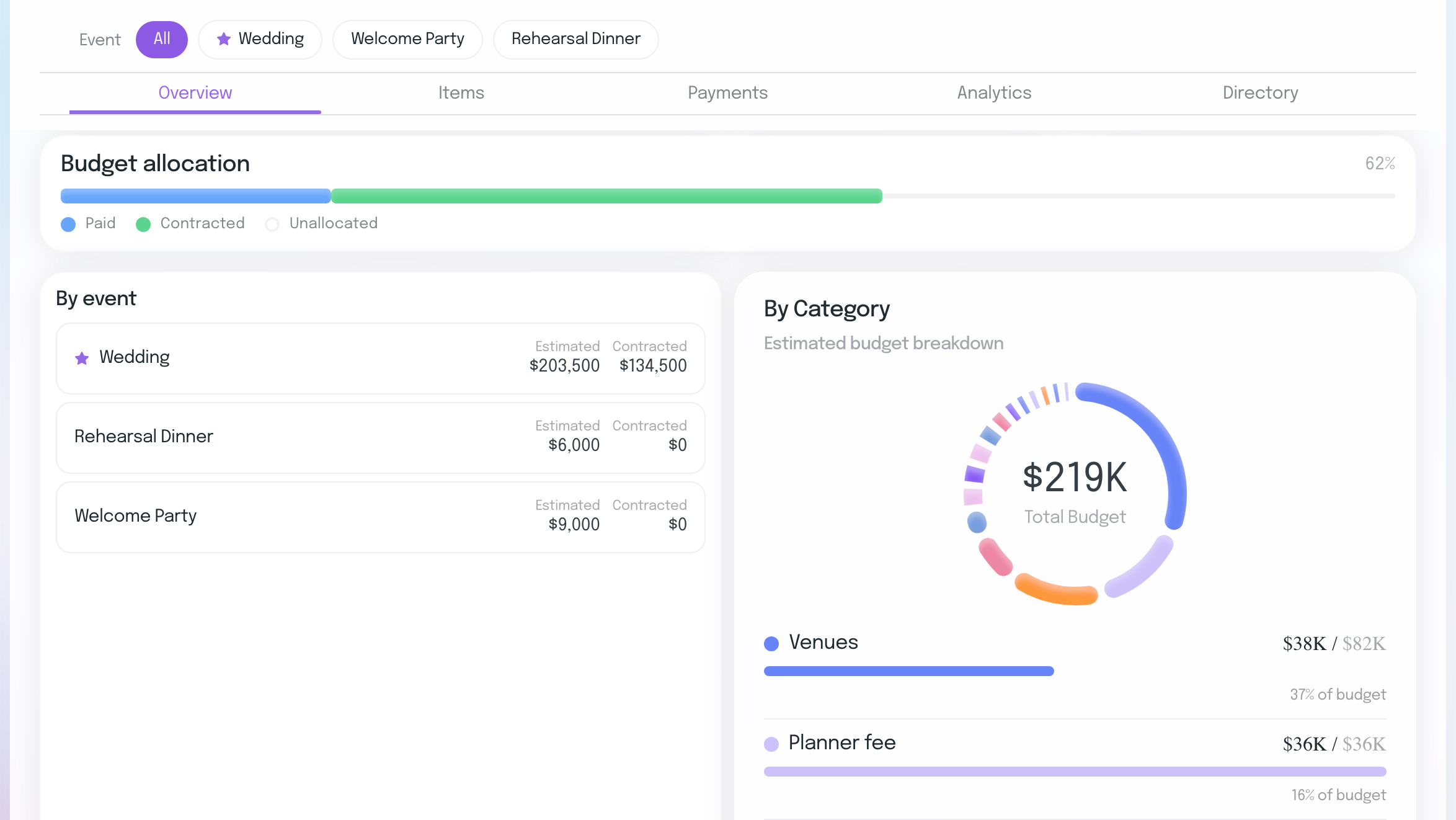
Sofia and Leo’s budget for All events: the budget allocation bar, then By event, with the Wedding at $203,500 estimated and $134,500 contracted, the Rehearsal Dinner at $6,000 and the Welcome Party at $9,000, beside the budget by category

The budget fills in from the rest of the wedding.

A couple’s budget shouldn’t be a spreadsheet you rebuild after every payment.

Questions, answered.

Everything planners usually want to know before running a couple’s budget in Ayyla.

How is Budget Tracker different from Financials?

Budget Tracker is your couple’s wedding budget: what each event should cost, what’s been booked and what’s been paid. Financials is your own business: planner fees, commissions and expenses. Your fee is where they meet: it sits in the budget as a line, and you mark its installments paid in Financials.

How do my planner fee installments get into the budget?

In the project’s Wedding Details, set your fee and split it into installments, each with a due date. They appear in the budget as a Planner fee line and in Financials as unpaid installments. Mark one paid in Financials and the budget’s paid total updates, so it’s never entered twice.

Who can be a payee?

Your couple are listed as payees from the start, and you can add anyone else who’s contributing, such as parents, other family members or yourself as the planner. Choose a payee for each payment, then see what each of them has paid and what’s still to come.

What happens when I book a vendor?

Book a vendor from your Supplier Hub on the wedding’s Vendors page with its price, and a line for that amount appears in the right category, marked Contracted. Split it into a deposit and balance whenever you’re ready.

Can I export a couple’s budget?

Yes. Export any budget to Excel, CSV or PDF.

You shouldn’t work for your software. It should work for you.

Keep every couple’s budget current, from the first booking to the final payment.

14-day free trial · No credit card required
Social

Instagram

Facebook

LinkedIn

Youtube

Contact

Email

Whatsapp

Resources

Blog

Privacy Policy

Terms of Service

ayyla. ©2026. All rights reserved. 

Social

Instagram

Facebook

LinkedIn

Youtube

Contact

Email

Whatsapp

Resources

Blog

Privacy Policy

Terms of Service

ayyla. ©2026. All rights reserved. 

Create a free website with Framer, the website builder loved by startups, designers and agencies.