Every file for the wedding, filed where it belongs.
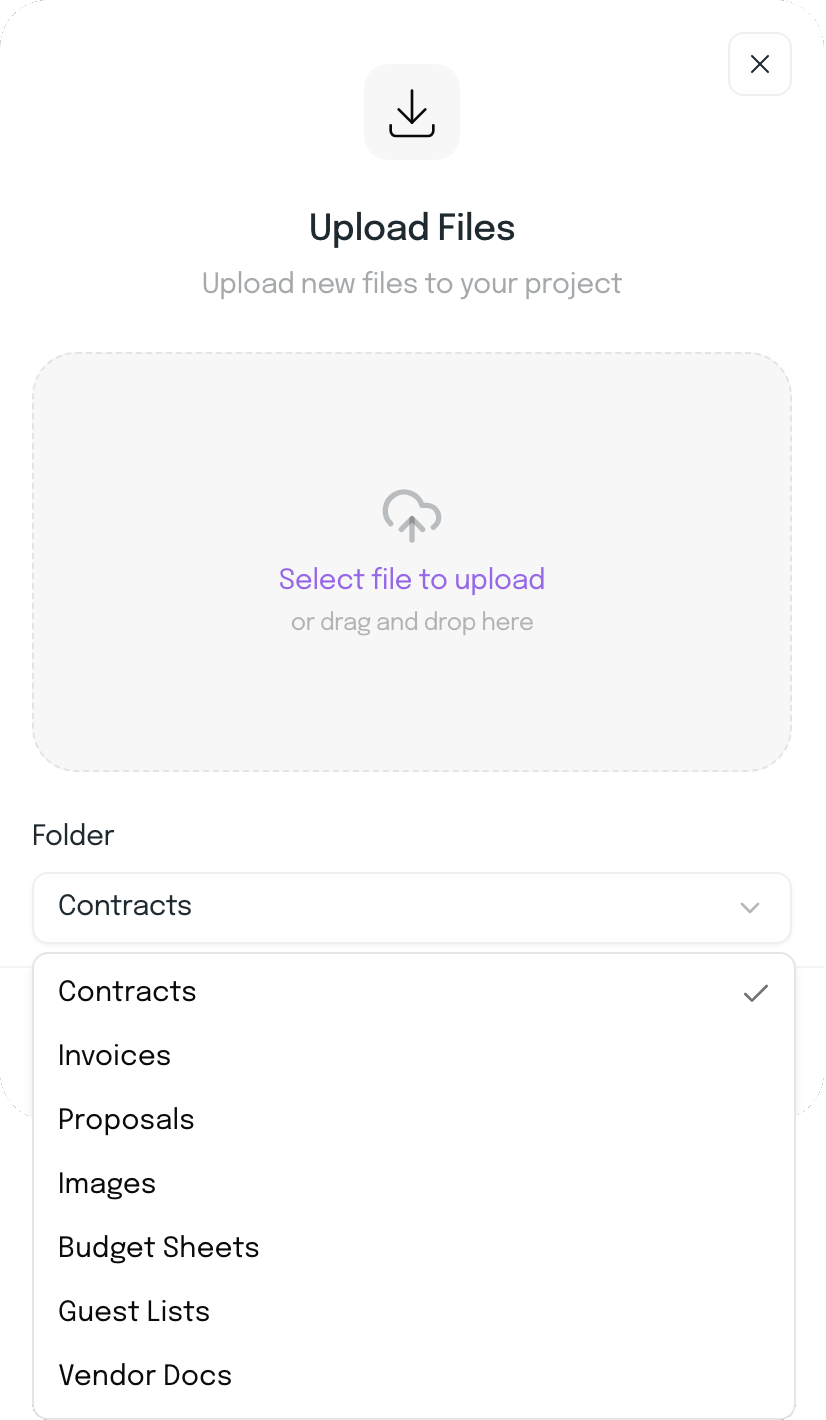
Upload floor plans, guest lists and vendor documents into the wedding and choose a folder for each: Contracts, Invoices, Proposals, Images, Budget Sheets, Guest Lists or Vendor Docs.
Docs Hub
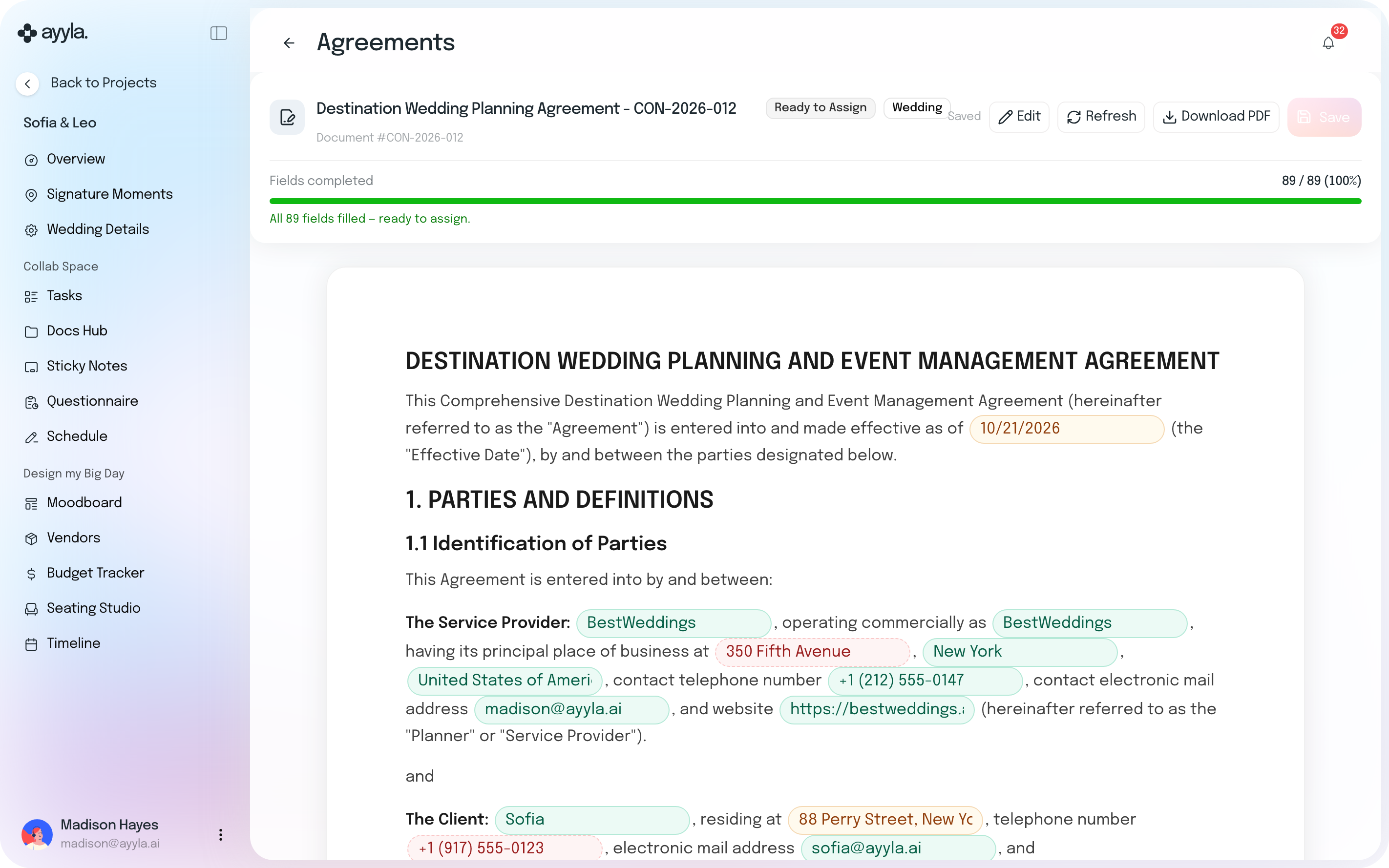
Create contracts from your templates with your couple’s names, date, venue, guest count and planner fee already in, then assign them to be signed without leaving the wedding.
 Your uploaded files and Google Drive sit in the same Docs Hub.
14-day free trial · No credit card required
From template to signature
Upload the files the wedding needs.
Create the contract from your template with your couple’s details already in.
Fill in what’s left, assign it, and sign it without leaving the wedding.
Editing one contract never changes your template.
Upload floor plans, guest lists and vendor documents into the wedding and choose a folder for each: Contracts, Invoices, Proposals, Images, Budget Sheets, Guest Lists or Vendor Docs.
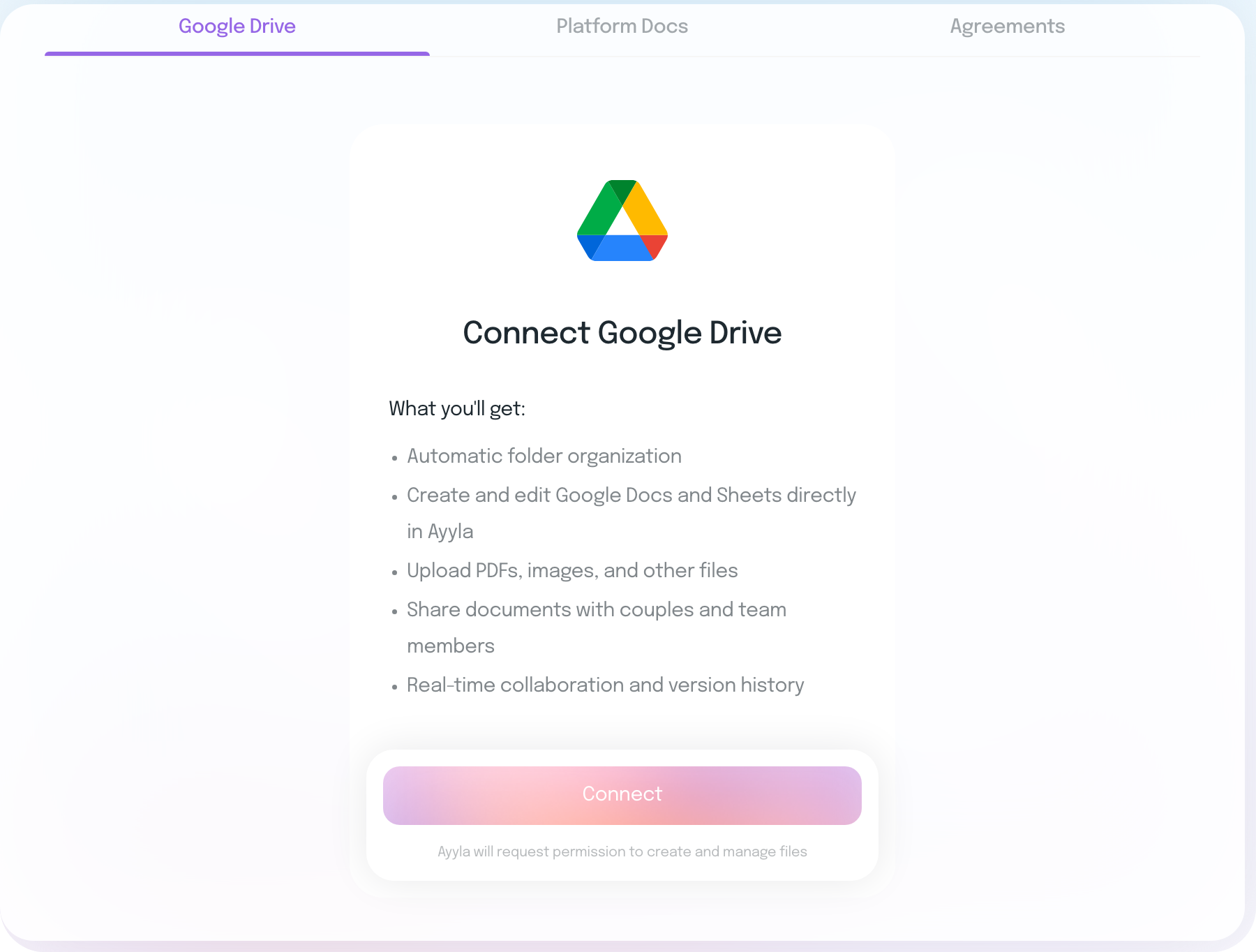
Connect Google Drive from the wedding’s Docs Hub and Ayyla asks permission to create and manage files. What you get: automatic folder organization, Google Docs and Sheets you can create and edit directly in Ayyla, and real-time collaboration and version history.
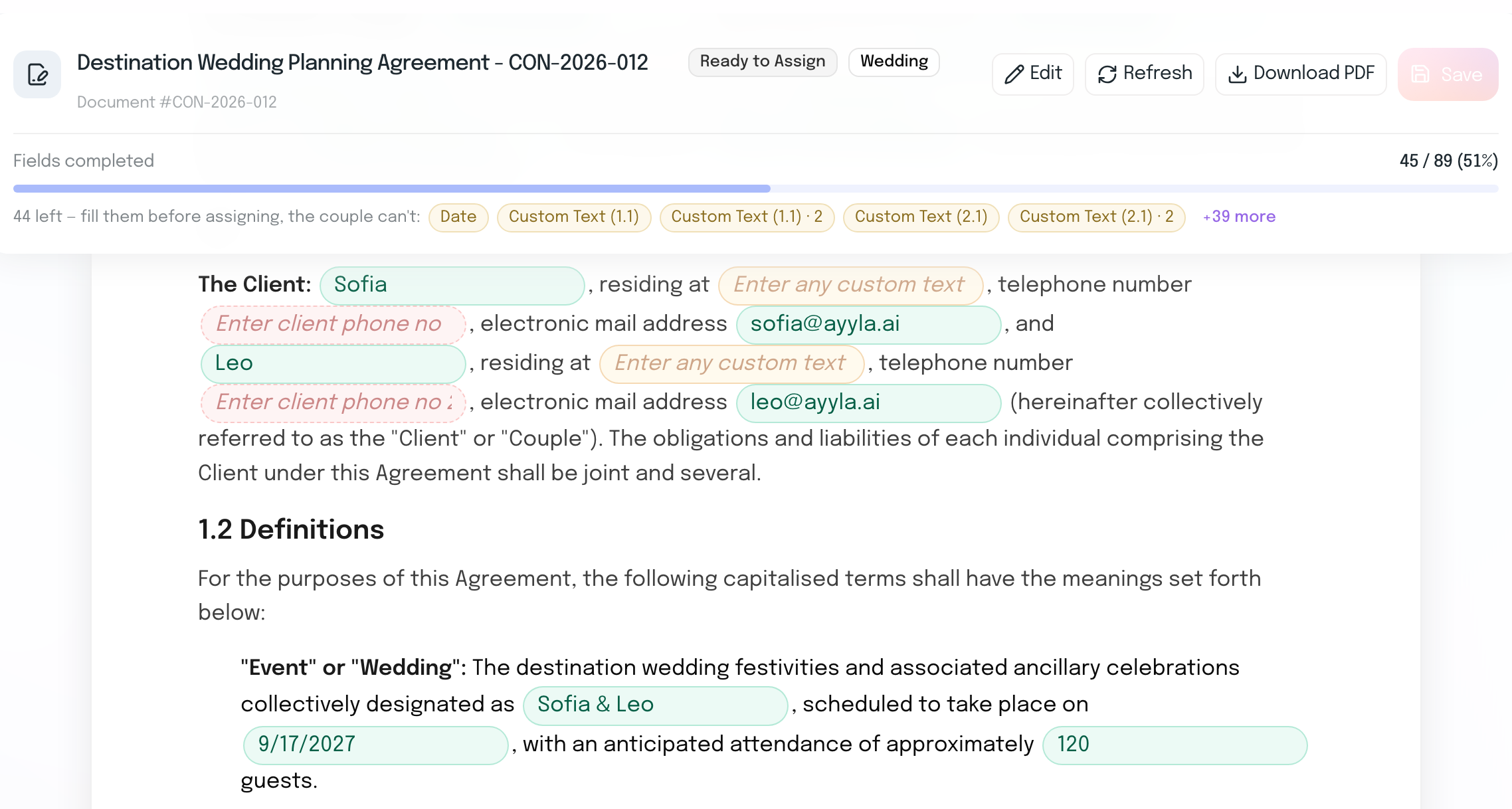
Create a contract or invoice from your templates and your couple’s names, date, venue, guest count and planner fee are filled in from the wedding. Ayyla lists every field that’s still empty, so you can complete it before you assign it.
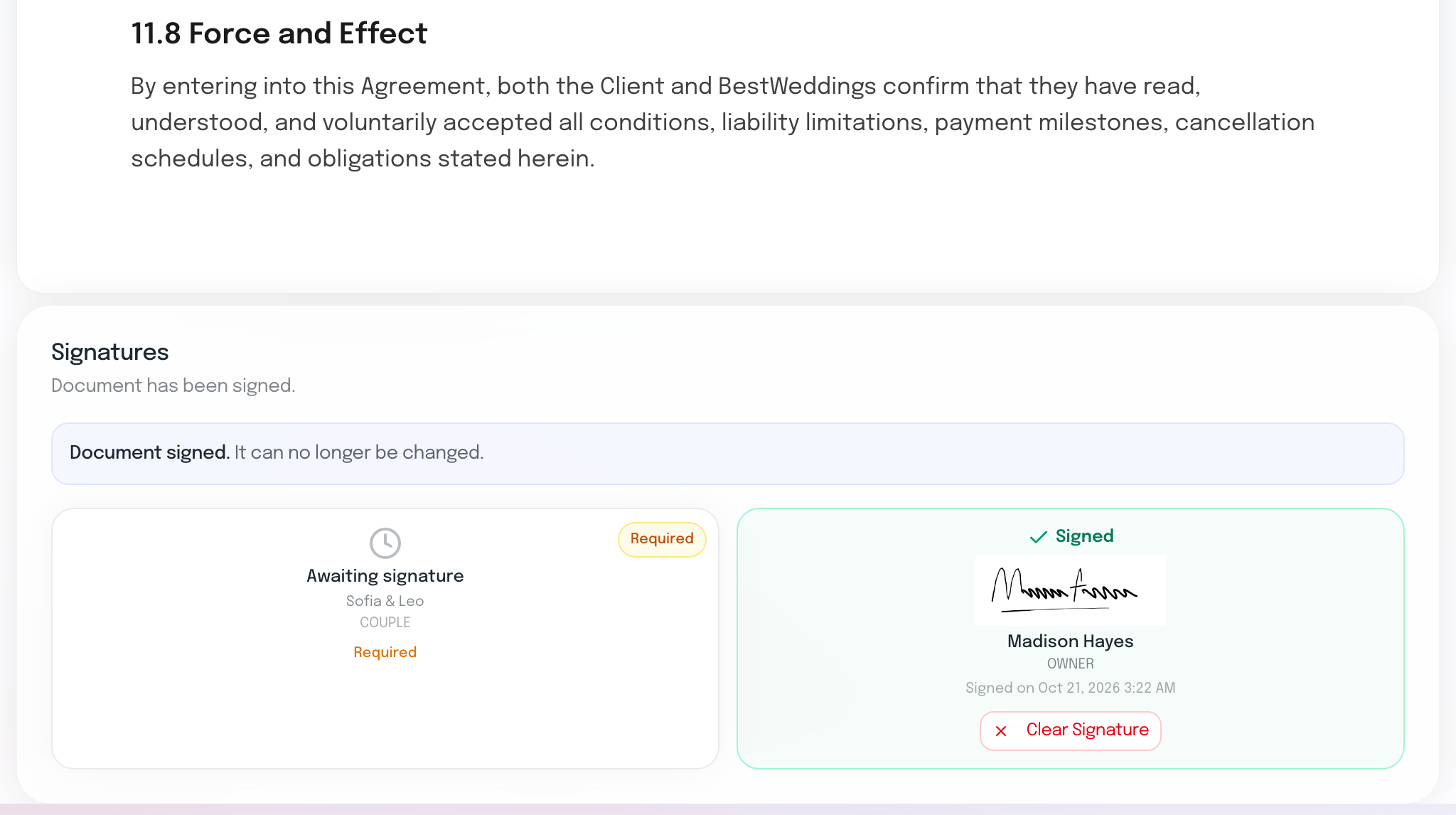
Assign the finished contract to yourself and your couple, and each of you gets a signature box. You sign by drawing your signature, your card shows when you signed, and the document can no longer be changed. On your side, your couple’s box shows Awaiting signature.
The fee in the contract comes from the wedding, the same fee that feeds Financials.
Draft a contract template with Ayyla AI, then create it in any wedding.
Your couple has Docs Hub in their own workspace, beside their tasks, sticky notes and questionnaires.
Keep every document in the wedding, not in an email thread.
Everything planners usually want to know before moving their contracts and files into Ayyla.
Each wedding has its own Docs Hub with three tabs: Platform Docs for the files you upload, Google Drive for connecting the wedding to Drive, and Agreements for contracts and invoices made from your templates. Uploaded files go into folders such as Contracts, Images, Guest Lists and Vendor Docs.
Yes. Docs Hub is in your couple’s own workspace, and a contract you assign to them has its own signature box for them. Docs Hub has no private folder, so keep internal notes and commissions in your Supplier Hub.
Connect Google Drive from the wedding’s Docs Hub and give Ayyla permission to create and manage files. Ayyla then organizes the folders for you, and you can create and edit Google Docs and Sheets directly in Ayyla, with real-time collaboration and version history.
Your couple’s names and contact details, the wedding date, venue, guest count and planner fee, plus your agency’s details. On a wedding with several events you choose the event first. If details change later, Refresh brings them in, and editing a contract never changes your template.
Assign the contract to yourself and your couple and each of you gets a signature box. You sign by drawing your signature, and once it’s signed the document can no longer be changed. On your side, your couple’s box shows Awaiting signature. Have the wording checked against your own terms and local law.
Your files, your Drive and every signed contract, in the wedding they belong to.
14-day free trial · No credit card required